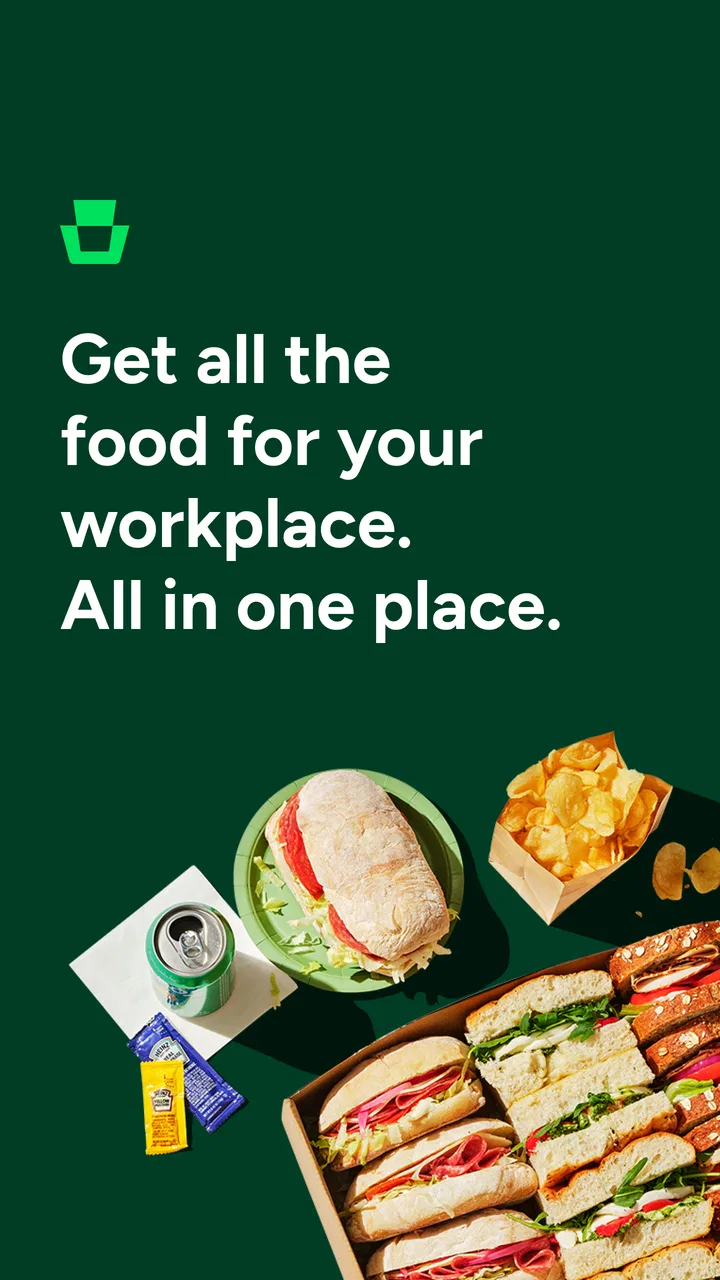
ezCater - Food for Workplaces
- 4.6
- Rating
- 100.00K
- Installs
- Free
- Price

 Analysis by App-foxy
Ordering food for a workplace sounds simple until the order needs to suit different diets, arrive at a useful time, stay within a team budget, and give everyone enough choice without turning one person into a full-time coordinator. ezCater is built around that particular problem. I found it most useful as a workplace catering app rather than as a general restaurant-discovery tool: the goal is to make a group meal easier to arrange, not merely to help one person decide what to eat.
The app comes from ezCater and sits in the Food & Drink category. It is free to install, available for everyone, and supports devices running Android 8.0 or later. Its current version is 1.9.3-132, and the service has already passed 100K+ installs. Those details matter because this is an app people may need to use on a work phone or an older device, where compatibility can be a practical concern.
How I use ezCater for a workplace order
My baseline workflow is straightforward. I start by treating the app as a shared-meal planning tool: choose the workplace delivery details, look through suitable restaurant options, review the menu, and build an order that works for the group. That sounds close to using a normal restaurant app, but the decision-making is different. I am not only asking whether a dish looks good; I am checking whether the menu can serve several people with different preferences and whether the order will be manageable when it reaches the office.
You May Also Like

 AccuWeather: Weather Radar
AccuWeather Review: A Quick, Clear Forecast for Everyday Decisions
For everyday plans, the best forecast is the one you can understand quickly. AccuWeather makes rain timing, radar, and local conditions easy to act on, with a few trade-offs.

 Hill Climb Racing
Why Hill Climb Racing Still Turns Crashes Into One More Run
A tiny car, a bumpy hill and one more upgrade: Hill Climb Racing keeps resurfacing because its simple chaos makes every near-miss feel personal.

 AliExpress - Shopping App
AliExpress Makes Global Shopping Feel Personal, but Shoppers Bear the Risk
AliExpress turns a global marketplace into a pocket-sized discovery engine. Its reach is useful, its shopping loop compelling, and its trade-offs easy to miss.

 Lords Mobile: Kingdom Wars
Lords Mobile Is a Kingdom-Building Routine, Not a Quick Match
A case-by-case verdict on the building, battles, device demands, and social commitments that make Lords Mobile rewarding for some players and exhausting for others.

 PDF Scanner app - TapScanner
TapScanner Makes Paperwork Easier to Capture, Check, and Share
TapScanner makes scanning with a phone feel less like a rescue operation and more like a dependable step in getting work done. Its capture tools are useful, though not flawless.

 Block Blast!
 Shows How Much a Puzzle Game Can Leave Out
A quiet grid game shows why puzzle players increasingly value instant clarity, repeatable skill and low-pressure play—and where the genre still needs to catch up.
More From Our News Desk
View All News


This distinction is important for team lunches. A normal takeaway app can be excellent when I already know the restaurant and only need dinner for myself. For a workplace meal, I need to think about variety, portions, dietary requirements, timing, and how easy it will be for colleagues to identify their food. ezCater makes more sense when those group concerns are the main reason for ordering.
A realistic example would be a small project team working through a busy afternoon. Instead of asking everyone to choose a separate restaurant, I can use one catering order to cover several tastes: a filling main option, something lighter, and choices that avoid common ingredients for people with dietary restrictions. The useful habit is to decide the group’s needs before browsing. If I open the menu without a rough plan, attractive individual dishes can quickly produce an awkward collection of food that is expensive, repetitive, or difficult to distribute.
I also recommend checking the order as if I were the person receiving it, not just the person placing it. Are the dishes recognizable? Will people know which items are vegetarian or suited to a particular diet? Is there a simple way to separate shared food from individual meals? This kind of review is not a flashy app feature, but it is where workplace ordering succeeds or fails. The app can help organize the purchase; it cannot replace a quick message to colleagues or sensible coordination.
The store’s average rating is 4.7 from 243 ratings, with 34 reviews, which suggests a positive reception while still representing a relatively modest review pool. I would read that as encouragement rather than proof that every workplace situation will be effortless. Catering is affected by the restaurant, the delivery circumstances, and the complexity of the order, so the app should be judged as part of that whole process.
What to check before committing to a menu
My first practical check is menu flexibility. A restaurant may look ideal because it offers a popular cuisine, yet the menu can become awkward if every dish is similar or if people need clearly different choices. I look for a balance between shareable items and individually identifiable meals. This reduces the chance that colleagues are left guessing which container belongs to them.
My second check is dietary clarity. I do not assume that a dish is suitable merely because its name sounds harmless. I read the available descriptions carefully and, when the situation is important, confirm details through the restaurant or the ordering process rather than making a casual promise to a colleague. The app can bring options together, but responsibility for communicating allergies and serious restrictions still belongs with the organizer and the restaurant.
That is one of the app’s limits. It is useful for collecting choices, but I would not treat a menu label as a guarantee for someone with a severe allergy. If the meal has high medical stakes, direct confirmation is more appropriate than relying on a quick visual scan. This is a good example of where convenience should not replace judgment.
I also pay attention to the difference between a meal for a meeting and food for an informal office lunch. A meeting usually benefits from tidy, easy-to-serve choices and minimal mess. An informal lunch can tolerate more variety and shared dishes. Using the same ordering style for both often creates unnecessary work. ezCater is more valuable when I adapt the order to the occasion instead of simply selecting the largest-looking menu.
Settings and details worth reviewing
There may be no reason to change every available option, but I would review the basic delivery and order details slowly before submitting anything. Workplace addresses can be more complicated than home addresses: a building may have a reception desk, a loading entrance, a floor number, or a preferred handoff point. A short, precise instruction can save more time than browsing another dozen menu items.
I also check the timing with the meeting rather than choosing a delivery moment that looks convenient in isolation. People need time to gather, unpack, label, and settle before eating. If the meal is scheduled for noon, an order that arrives at the last possible minute can make the whole event feel late. On the other hand, food that arrives too early may be less appealing and harder to manage. The right choice depends on the workplace and the food, so I treat timing as part of the plan, not as an afterthought.
Another setting-like habit is reviewing the final order from the perspective of the budget owner. I do not mean staring only at the total. I check whether the order has duplicate sides, unnecessary extras, or an uneven distribution of food. A menu can encourage small additions that seem harmless individually but make the final order harder to justify. For a team order, a clean and explainable basket is usually better than one packed with last-minute impulses.
Because this is a free app, the main cost decision comes from the food order rather than the installation. That makes it easy to try, but it also means I would not confuse free access with a free meal. Workplace catering still needs a clear spending plan, and the organizer should know who approves it before colleagues start making requests.
For repeat orders, I would keep a simple record outside the app of what worked: which restaurant handled varied preferences well, which portions were suitable, and which delivery instructions prevented confusion. I am deliberately not assuming that every useful preference is automatically saved or that every restaurant behaves the same way. A small team note can be more reliable than expecting the app to remember every detail across different orders.
Faster patterns for people who order often
Experienced users can make the process faster by creating a repeatable checklist. Mine would begin with headcount, dietary needs, meeting style, delivery location, and the time people will actually eat. Only after those points are clear would I browse. This prevents the common mistake of choosing a restaurant first and trying to force the team’s needs into its menu afterward.
A second shortcut is to separate “must have” items from “nice to have” items. For example, a reliable vegetarian main or a clearly marked alternative may be essential, while an extra dessert may not be. This makes decisions quicker when the menu is broad and keeps the order focused. It also gives colleagues a clearer explanation if the final selection cannot include every personal preference.
I find it helpful to use a two-pass review. In the first pass, I select the menu structure: mains, shared items, and any necessary alternatives. In the second, I inspect quantities, labels, delivery details, and the final cost. Mixing these tasks together encourages backtracking and makes it easier to overlook a practical problem. The app is faster to use when I approach it with a process rather than browsing aimlessly.
For recurring team lunches, I would rotate between a small number of dependable restaurant choices instead of starting from zero every time. That does not mean ordering the same meal forever. It means keeping a shortlist of menus that have already proved workable for the team, then comparing them when the next event comes around. This reduces research time while leaving room for variety.
One non-obvious trade-off is that the most exciting menu is not always the best workplace menu. Foods that are difficult to portion, messy to serve, or unclear to identify can create more coordination than they are worth. I would choose a slightly less adventurous option when the meal is attached to a meeting with a tight schedule. For a relaxed celebration, I might accept more complexity because the social value is higher.
Another useful pattern is to ask for structured feedback after the meal rather than collecting vague reactions. I would ask colleagues which dishes should return, which should be avoided, and whether the order was easy to distribute. That produces information I can apply to the next ezCater order. It is more useful than judging a restaurant solely by whether one person liked a particular dish.
Where the app is less suitable
ezCater is not automatically the best choice for every food situation. If I am ordering a single meal for myself, a standard takeaway app or direct restaurant ordering may be quicker. Those alternatives are often better when I already know exactly what I want and do not need to coordinate a group.
It can also be a poor fit for a highly spontaneous lunch where everyone wants to choose independently from different restaurants. A catering-focused workflow works best when one person needs to bring a coherent order together. If the team values complete individual freedom more than simplicity, separate orders may be preferable, even though they create more delivery and timing variables.
Large or complicated events require extra caution. The app can help with the ordering side, but it does not remove the need for someone to manage reception, serving space, utensils, dietary communication, and late changes. I would not promise colleagues that installing the app solves event logistics. It solves a meaningful part of the process; the workplace still needs a human plan around it.
There is also a learning curve for people who rarely arrange group food. The interface may feel more involved than a quick personal order because the user has more responsibility before checkout. That is not necessarily a flaw, but it means a first-time organizer should not wait until the meeting is about to begin. A short practice run with a smaller order can reveal how the workflow feels without putting an important event at risk.
Device compatibility is another practical consideration. The app supports Android 8.0 and newer, so anyone using an older Android phone should check that before relying on it for a time-sensitive order. For supported devices, the current release is 1.9.3-132. I would still keep a browser or direct restaurant contact available as a backup for an urgent workplace meal, because any ordering app can encounter account, connectivity, or restaurant-side problems at an inconvenient moment.
My verdict after using it as a workplace tool
My overall impression is that ezCater is most convincing when the problem is coordination. It gives a workplace organizer a more natural starting point than a personal food-delivery app, especially when the order needs variety and a clear structure. The strongest benefit is not simply finding food; it is encouraging me to think about the meal as something a group has to receive and use together.
I would recommend it to office managers, team leads, assistants, and anyone who regularly arranges meals for colleagues. It is particularly suitable for planned lunches, meetings, and team occasions where one person needs to balance convenience with different preferences. The free installation and Everyone content rating make it approachable for a broad audience, while the positive 4.7 average indicates that many users have had a good experience.
I would skip it when I only need a personal meal, when every diner insists on a separate restaurant, or when the event demands detailed catering management beyond placing an order. In those cases, direct restaurant contact, a conventional delivery service, or a dedicated caterer may be a better match. The right choice depends on whether the main challenge is selecting food or coordinating people.
My best advice is to use the app with a small operating routine: gather requirements first, check dietary details carefully, choose a menu that is easy to distribute, review timing and delivery instructions, and keep notes about what worked. Those habits make the experience faster without assuming features that may vary between restaurants or orders. The app works best as the ordering center of a thoughtful workplace process, not as a replacement for that process.
In that role, ezCater earns my recommendation. It is focused, practical, and more relevant to group food planning than the usual personal-ordering alternatives. Its limitations are real, particularly around complex event logistics and situations where individual choice matters more than a unified order. But for a team that wants a dependable way to organize food at work, it is a sensible app to keep available.
FAQs for ezCater - Food for Workplaces
01What is ezCater and how does it work?
ezCater is a platform designed to streamline food ordering for workplaces. It connects users with a vast network of local caterers and restaurants, providing a variety of menu options. Users can easily browse, select, and customize their orders according to their preferences and dietary needs, ensuring a hassle-free catering experience.
02Is ezCater available in my area?
ezCater is widely available across the United States, partnering with numerous caterers and restaurants in various locations. To check availability in your area, simply enter your location on the app or website. This will provide you with a list of available options for your specific region.
03How do I customize my order on ezCater?
Customizing orders on ezCater is simple. Once you select a restaurant or caterer, you can choose from various menu options and adjust quantities as needed. The app also allows you to specify dietary requirements or special instructions, ensuring that the order meets your workplace’s specific needs.
04Does ezCater offer any features for managing large orders?
Yes, ezCater is designed for handling large orders with ease. It provides features like order tracking, multi-day planning, and detailed invoicing. These tools help businesses manage their catering needs efficiently, making it ideal for events, meetings, or regular office lunches.
05What payment options does ezCater accept?
ezCater accepts various payment methods, including major credit cards and corporate billing. Users can conveniently manage billing through the app, which offers a secure and streamlined process. Additionally, businesses can set up accounts for easier expense tracking and management.
Pros
- Intuitive interface for easy navigation.
- Wide variety of catering options.
- Seamless order tracking system.
- Flexible payment options available.
- Excellent customer support.
Cons
- Limited customization for dietary needs.
- Occasional delivery delays reported.
- Some areas have fewer vendor choices.
- App notifications can be overwhelming.
- Pricing may vary between vendors.

ezCater - Food for Workplaces
Gallery